Event-Driven or Batch? A Campaign Automation Guide
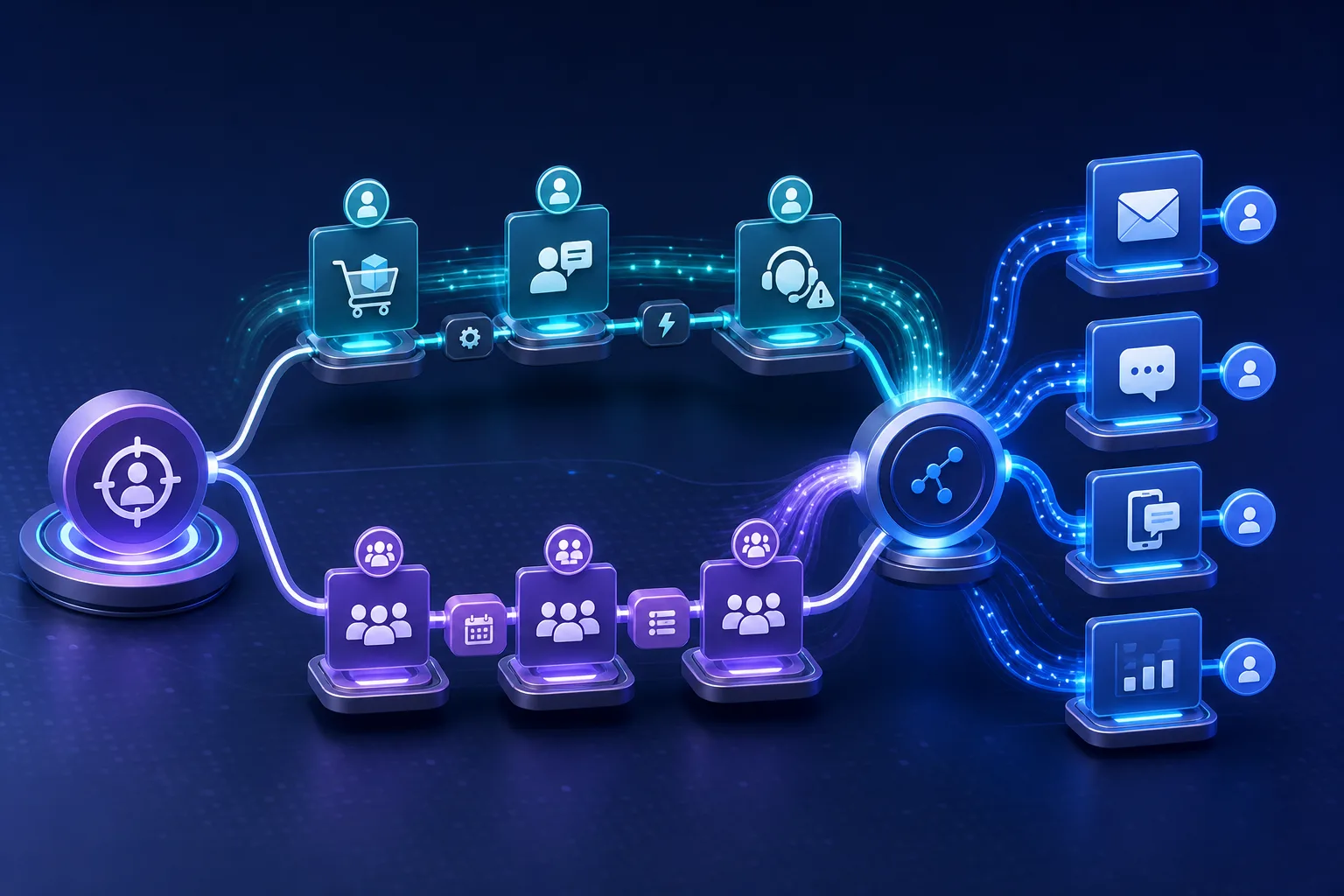
A customer submits a high-value inquiry. Another abandons a checkout. A third opens a support case minutes after receiving an upsell email. Should the campaign system respond immediately, or can the next scheduled run handle it?
That question sits at the center of modern marketing automation. Event-driven automation reacts when a customer signal occurs. Batch automation collects records and processes them together on a schedule. One prioritizes responsiveness; the other favors operational simplicity and efficient bulk processing.
Neither model is inherently more advanced. The right choice depends on how quickly an action loses value, how reliable the underlying data is, and how much technical complexity the organization can support. For many brands, the strongest answer is not event-driven or batch—it is a deliberate combination of both.
Two Models, Two Different Ideas of Time
The distinction begins with what starts the workflow.
In a batch model, time starts the process. A system might update audience segments every night, refresh customer records each weekend, or send a campaign at a predefined hour. Records accumulate until the scheduled job begins.
In an event-driven model, a change starts the process. A form submission, product view, purchase, consent update, lead-score threshold, opportunity-stage change, or customer-service interaction can trigger the next action.
How batch automation works
A typical batch workflow follows a predictable sequence:
- Collect records over a defined period.
- Read the available data at the scheduled time.
- Apply segmentation, enrichment, or campaign rules.
- Send messages or update destination systems.
- Review the completed run and resolve exceptions.
This model is often easier to operate, debug, and maintain because the work has clear boundaries. Teams can inspect a finite set of inputs and compare it with a finite set of outputs. Batch processing also uses resources efficiently when thousands or millions of records need the same treatment and waiting is acceptable.
The tradeoff is freshness. If an audience is rebuilt at midnight, a meaningful action at 9 a.m. may not influence outreach until the following day. That delay can be harmless for a monthly newsletter and costly for an urgent sales inquiry.
How event-driven automation works
An event-driven workflow listens continuously for defined signals. When a qualifying event arrives, the system evaluates it and starts the appropriate workflow.
For example:
- A pricing-page visit raises a lead score.
- Crossing the score threshold initiates account routing.
- A data-enrichment request adds current company context.
- The lead enters a relevant message sequence.
- A sales representative receives a notification.
The advantage is low latency: the campaign can respond while the signal is still useful. The challenge is that the infrastructure must handle fluctuating event volume, failures, variable execution order, and events that arrive late or out of sequence. Continuous systems also have fewer natural stopping points for testing and troubleshooting.
For marketers, the practical difference is simple: batch automation asks, “What should we do with this group now?” Event-driven automation asks, “What should we do because this person or account just did something?”
When Real-Time Campaigns Actually Need Events
“Real time” should not be treated as a prestige feature. It is a business requirement with an acceptable response window.
A fraud alert may need action almost immediately. A high-intent form submission may need routing within minutes. A replenishment reminder could remain useful within a day. A quarterly customer-health review does not require continuous processing.
The key question is not whether faster is theoretically better. It is how quickly the value of the response declines.
Strong event-driven use cases
Event-driven automation is well suited to moments where recent behavior changes what the brand should do next:
- Lead capture and routing: Enriching and assigning a high-value form submission while intent is fresh.
- Behavior-triggered journeys: Responding to abandonment, repeated product research, or a lead-scoring threshold.
- Service-aware suppression: Pausing promotional messages after a serious support interaction.
- Opportunity changes: Starting or stopping account communications when a deal changes stage.
- Live campaign monitoring: Adjusting workflows during high-traffic launches or other time-sensitive activity.
- Consent and preference changes: Propagating an important customer instruction without waiting for a scheduled audience rebuild.
These cases share a common property: the event changes the appropriate action. A newer signal is not merely additional reporting data; it alters the decision.
Cases where batch remains the better fit
Batch automation is often sufficient for:
- Periodic database maintenance and stale-record refreshes
- Large audience exports where a few hours of delay has little effect
- Routine analytics and performance reporting
- Historical backfills and list imports
- Monthly newsletters and planned announcements
- Broad segmentation based on relatively stable attributes
- Reconciliation between campaign and customer systems
Scheduled campaigns can still be personalized. Batch does not have to mean one generic email sent to everyone simultaneously. A system can calculate segments, content choices, or contact-level send windows in bulk.
That distinction matters for global audiences. A single morning send in one time zone may arrive at an inconvenient hour elsewhere. Personalized send-time automation can use contact behavior rather than forcing every recipient into one batch-wide moment, while much of the underlying preparation still runs in batches.
The Hidden Cost of “Instant” Personalization
Event-driven campaigns can appear simple on a journey map: signal arrives, profile is enriched, message goes out. The engineering reality is more complicated.
Real-time enrichment provides fresher context, but external requests do not always return at a consistent speed. Providers may impose rate limits, webhooks can fail, and response times can vary. A workflow that refuses to continue until every field is returned may delay the very message it was designed to accelerate.
Separate delivery from optional enrichment
A practical design classifies data according to whether it is required for the decision:
- Required data determines eligibility, consent, destination, or essential message logic.
- Useful data improves personalization but is not necessary to act safely.
- Deferred data supports later analysis, scoring, or profile maintenance.
Suppose a prospect requests a product demonstration. A verified address and consent status may be required before sending confirmation. A detailed company profile might improve follow-up but should not necessarily block the acknowledgment.
The workflow can send a safe initial response, complete enrichment asynchronously, and use the enriched result in later routing or messaging. In plain terms, asynchronous means the campaign continues without standing still while another system finishes optional work.
Define a realistic latency target
“Immediate” is too vague for campaign operations. Teams should specify an acceptable service window for each trigger, such as:
- How quickly must the first action begin?
- How late can an event arrive and remain actionable?
- What happens if enrichment misses the target?
- Which fallback message is safe with partial data?
- When should a person review the exception?
These decisions turn real time from a slogan into an operating agreement. They also prevent teams from paying for continuous processing where a scheduled hourly or daily workflow would produce the same business outcome.
Plan for imperfect event flow
Continuous workflows need explicit controls. Events may arrive out of order, processing can be retried after a failure, and traffic can rise unexpectedly. The campaign layer therefore needs safeguards against repeated actions, visibility into failed workflows, and a way to compare intended outcomes with actual sends and profile updates.
The marketer’s role is not to administer the underlying infrastructure. It is to define what must never happen twice, what can be retried safely, and what evidence is needed to confirm that a journey behaved correctly.
A Hybrid Architecture for Practical Marketing
Most organizations do not need to move every campaign into a continuous event stream. A more defensible pattern uses event-driven processing for urgent decisions and batch processing for slower, high-volume work.
Consider a hybrid lead-management workflow:
- A new form submission creates an event.
- Essential fields are validated immediately.
- The lead receives a prompt confirmation and enters a routing workflow.
- Optional enrichment continues without blocking that first response.
- A nightly batch refreshes incomplete or aging records.
- A scheduled reconciliation checks whether campaign, customer, and sales systems agree.
- Analytics run in batches unless a live operational dashboard genuinely requires fresher information.
This design protects the customer moment without making every downstream task real time.
Use change data capture selectively
Change data capture, often shortened to CDC, records changes in a source system so they can be propagated elsewhere. It can help when an important update—such as a major customer-record merge—must reach campaign systems quickly.
A careful migration establishes a consistent historical snapshot and a corresponding CDC position. The snapshot represents what was already true; the change stream carries what happened afterward. Without a clear handoff, teams risk gaps or overlapping processing during the transition.
CDC is not a reason to make every database update a marketing trigger. The event still needs a defined business meaning. A useful campaign event says more than “a field changed”; it explains why the change should affect eligibility, timing, content, or channel.
Keep human ownership visible
Automation coordinates activity, but it does not resolve organizational ambiguity. A triggered social-listening workflow, for example, still needs an owner who decides when a response is appropriate, which team handles escalation, and how the brand should communicate.
One reported B2B case study associated synchronized multichannel campaigns and listening-triggered workflows with a 234% increase in cross-channel engagement and a 145% improvement in campaign return on investment. Those vendor-reported figures are illustrative rather than a reliable forecast. The more transferable lesson is that technical coordination works best when responsibility for the resulting action is equally clear.
Choosing the Right Model
A useful decision process evaluates the business moment before the technology.
1. Measure the value of freshness
Ask what changes if the action occurs now, in an hour, or tomorrow. If the customer experience and business outcome remain roughly the same, batch is likely sufficient.
2. Examine event volume and variability
A steady flow of high-value actions differs from a sudden wave of low-value behavioral signals. Event-driven systems can scale with incoming volume, but teams must design for peaks and maintain the continuous infrastructure that handles them.
3. Locate the authoritative data
Identify where consent, identity, customer status, and campaign eligibility are controlled. A fast trigger built on stale or conflicting source data can automate the wrong decision more efficiently.
4. Compare failure consequences
A delayed report is inconvenient. A duplicated discount, mistimed sales message, or promotional email sent during an open complaint can damage trust. More consequential actions require stronger controls, monitoring, and fallback rules.
5. Include operational cost
The budget is not limited to infrastructure. Continuous processing creates ongoing work around webhooks, rate limits, state, fault handling, late events, and debugging. Batch jobs generally offer clearer execution boundaries and simpler maintenance.
A sound default is to use batch processing unless the team can identify a meaningful customer or operational benefit from lower latency. Event-driven automation should solve a timing problem, not serve as a badge of technical maturity.
Quick Checklist
- Define the maximum acceptable delay for each campaign trigger.
- Separate data required for safe action from optional personalization data.
- Confirm which system controls identity, consent, and customer status.
- Choose a fallback when enrichment or another dependency is slow.
- Add safeguards against repeated messages or repeated workflow actions.
- Assign a human owner for exceptions, escalations, and sensitive responses.
- Schedule reconciliation so campaign outputs can be checked against source systems.
- Keep analytics and bulk maintenance in batch unless fresher results have clear value.
Frequently Asked Questions
Is event-driven automation the same as real-time automation?
Not exactly. Event-driven describes what initiates the workflow: an event rather than a schedule. Real time describes the expected response speed. An event-driven workflow can still take minutes, while a frequently scheduled batch can feel nearly real time for less urgent use cases.
Is batch marketing always less personalized?
No. Batch workflows can calculate detailed segments, select content, and estimate individual send windows. Their limitation is that the decisions use data available when the batch runs, so they may not reflect behavior that occurs immediately afterward.
Should data enrichment happen before every triggered message?
Only when the enriched data is essential to making the decision safely. Because external enrichment can have variable latency, optional information is often better handled asynchronously. The initial action can proceed with verified essentials, and later steps can use the richer profile.
What is the best starting point for a team using only batch campaigns?
Choose one trigger where delay clearly reduces value, such as a high-intent form submission or a critical service-status change. Define the latency target, fallback behavior, owner, and measurement plan before expanding to more events.
How should campaign teams measure success?
Measure the business effect of responsiveness, not just processing speed. Useful comparisons include response time, qualified-action rates, suppression accuracy, journey completion, exception volume, and the operational effort required to maintain the workflow.
Final Thoughts
In practice, the strongest automation strategy is selective rather than ideological. Customer signals deserve real-time treatment when their value decays quickly or when they materially change what the brand should do. Everything else should have to earn the added complexity.
Batch processing remains a responsible default for analytics, maintenance, reconciliation, and campaigns where completeness matters more than immediacy. Event-driven design is most valuable at decisive moments: intent appears, consent changes, service context shifts, or an opportunity reaches a meaningful threshold.
The bigger picture is that campaign speed cannot compensate for weak governance. A rapid workflow built on unclear ownership, unreliable identity, or blocking dependencies may create faster mistakes. The best hybrid systems are not merely quick; they are explicit about which actions are urgent, which data is essential, and how the organization will recover when automation encounters the real world.
Sources
- Real-Time vs Batch Data Enrichment Guide
- Event-Driven vs. Batch Processing: Choose the Right Approach
- Batch Processing VS Event Driven Processing
- Batch vs. streaming data processing
- Real Time vs. Batch Processing vs. Stream Processing – BMC Software | Blogs
- 25 B2B Marketing Automation Case Studies
- Case Study: Marketing Automation and Personalization to Increase ...
- Marketing Automation Case Studies | Cross-Industry Insights
- Data Enrichment Workflow: Definition, Examples & Use Cases
- B2B Enrichment API 2026: Endpoints, Rate Limits & Integration Guide
- What Is Contact Enrichment? A 2025 Guide to Real-Time Accuracy at Scale
- Batch Driven Architecture vs. Event Driven
Ready to Get Started?
Explore production-ready 3D models for your next project. Browse the 3D model catalog to download assets you can use right away.
Turn this workflow into real deliverables
Browse production-ready 3D models for your next project, then step into 3d modeling if you need a custom build.