How WebGPU Brings Real-Time 3D to the Browser
Introduction
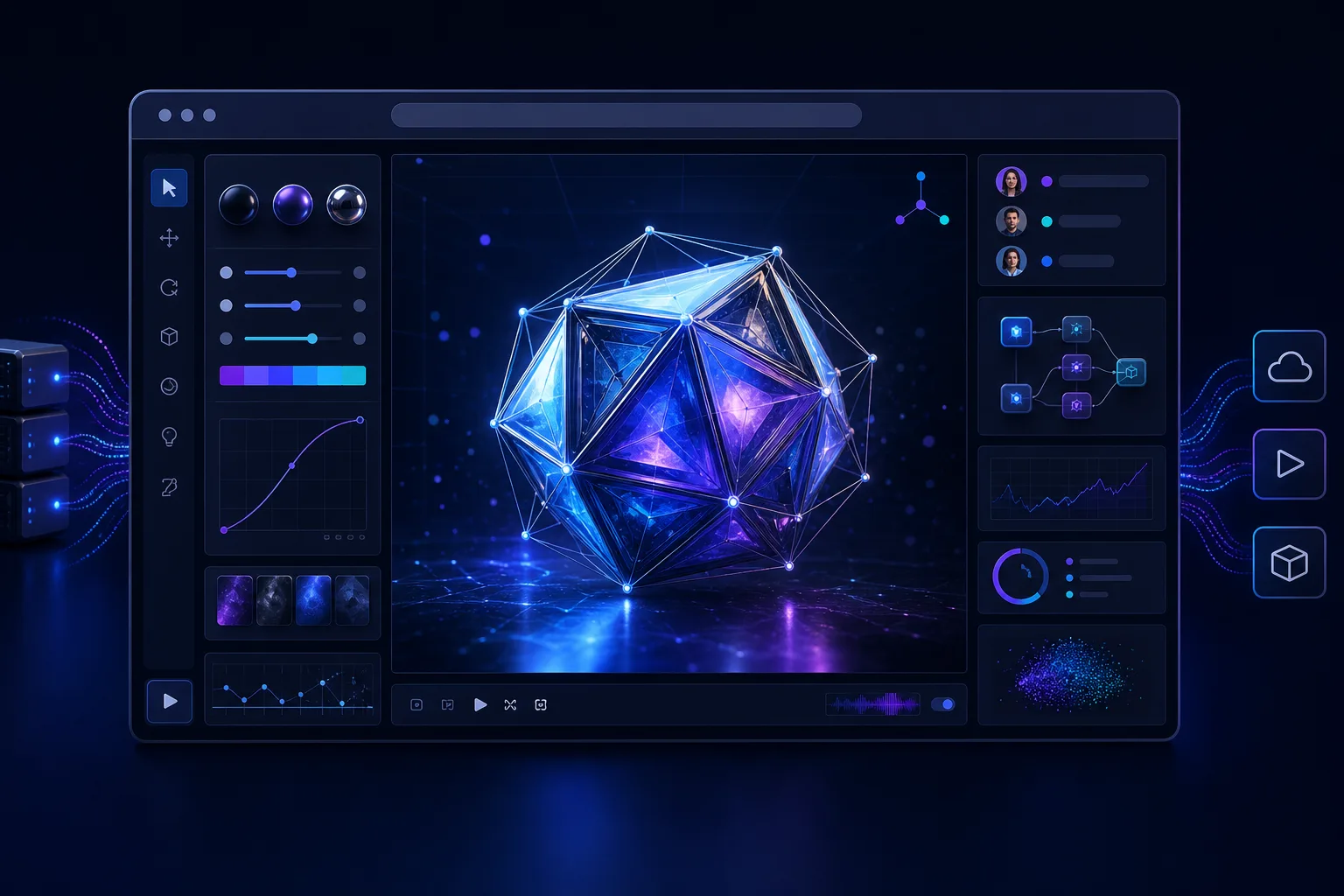
A web browser used to be the place where finished 3D work was displayed. Increasingly, it is becoming a place where that work can also be inspected, edited, simulated, reviewed, and delivered.
WebGPU is central to that change. The browser API gives web applications more direct access to modern graphics processors, opening the door to richer real-time rendering and general-purpose GPU computation. Tasks previously associated with installed software can now move into a link-based environment that works across creative teams, clients, and customers.
That does not mean native production software is about to disappear. WebGPU is better understood as a new layer in the production stack: one that can bring demanding visual workflows closer to collaboration, publishing, and audience interaction.
For marketing professionals and brand managers, the significance goes beyond smoother graphics. WebGPU can reduce the distance between a 3D master asset, an internal review tool, a product configurator, and an interactive campaign. It turns the browser from a passive delivery channel into a more capable production surface.
What WebGPU Changes Under the Hood
WebGPU is a browser interface for graphics and computation. It draws on ideas found in modern native graphics systems such as Vulkan, Metal, and Direct3D 12, while applying the portability and security controls expected on the web.
Its predecessor, WebGL, made browser-based 3D practical. It remains widely used and highly valuable, but its design reflects an earlier generation of graphics programming. WebGPU provides a more explicit model for organizing data, preparing rendering work, and sending commands to a device's GPU.
Rendering pipelines become more deliberate
A rendering pipeline is the sequence of steps that turns scene data into pixels. It can include processing 3D geometry, applying materials, calculating lighting, and deciding what appears in front of what.
WebGPU asks applications to define much of this work in advance. That requires more planning from developers, but it can reduce repeated setup work during each frame. The API is also designed to handle command submission and parallel work more effectively than the older WebGL model.
The practical benefit is not simply “better graphics.” A well-designed WebGPU application may handle more objects, denser data, or more sophisticated effects while keeping interaction responsive. Results still depend on the hardware, browser, scene, and quality of the implementation.
Compute shaders expand the browser's role
The more consequential addition may be compute shaders. These are small programs that run many calculations in parallel on the GPU without being limited to the immediate job of drawing pixels.
A browser application can use compute work for particle updates, image processing, simulation, data preparation, visibility calculations, or machine-learning inference. WebGL can approximate some of these tasks by disguising data as textures and repurposing graphics operations, but that approach is often awkward.
WebGPU instead offers dedicated compute pipelines, writable storage buffers, workgroups that cooperate on data, and synchronization controls. In plain language, developers can treat the GPU as a parallel calculator as well as a drawing engine.
Research comparing particle workloads has found particularly strong gains when an application is redesigned around WebGPU compute shaders rather than translated directly from WebGL. That distinction matters: WebGPU's biggest advantages may come from new workflows, not automatic acceleration.
From 3D Viewing to Browser-Based Production
Real-time 3D production includes more than modeling. It also covers importing data, arranging scenes, applying materials, validating assets, reviewing variations, annotating content, and preparing experiences for delivery.
WebGPU can make more of those intermediate tasks viable in a browser. Because the application arrives through a URL, a team can update the tool centrally instead of asking every participant to install and maintain the same desktop environment.
Large and unusual datasets become more manageable
Consider point clouds, which represent spaces or objects using large collections of measured points. A reported migration of the Segments.ai LiDAR-labeling platform from WebGL to WebGPU improved work with scenes containing millions of points, addressing sluggish navigation and frame drops in complex datasets.
That example is useful because it is not merely about making a polished product image look prettier. It shows how improved rendering architecture can affect operational work: selecting, labeling, navigating, and inspecting complex information.
Another emerging workflow is 3D Gaussian splatting, a technique for representing captured environments with many soft, spatially positioned elements. PlayCanvas demonstrates a browser-oriented pipeline through its open-source SuperSplat editor and viewer, including WebGPU-based streaming for large captures.
These techniques could support location previews, cultural experiences, property presentations, virtual production references, and digital twins. The commercial value depends on the experience being useful, however. Photorealism by itself is not a marketing strategy.
The browser becomes a shared review room
Traditional 3D review often produces a chain of exported videos, screenshots, compressed files, and written notes. Each export freezes decisions made earlier, and feedback may refer to a version that is already outdated.
An interactive browser review tool can let participants inspect the same current scene. Depending on its design, reviewers might rotate a product, switch materials, compare lighting, hide components, or leave comments in context.
Frameworks such as Three.js help developers build these interfaces with familiar web technologies. JavaScript-level inspection also supports practical debugging methods, including printing a scene's object hierarchy to find misplaced, duplicated, or unexpectedly nested elements.
WebGPU does not provide collaboration features on its own. Identity, permissions, version history, comments, and asset management still need to be designed. What it supplies is the graphics and compute foundation for making the shared visual workspace more capable.
What the Shift Means for Marketing and Brand Teams
For marketers, WebGPU changes what can reasonably happen before and after a campaign is published. The same browser-based system can potentially support internal decision-making and public interaction, although those two contexts should not be assumed to have identical requirements.
Faster visual decisions
A product launch may involve multiple colors, finishes, environments, camera angles, and regional variants. A real-time scene can expose those choices directly instead of requiring a new offline render for every discussion.
This is especially valuable when the unresolved question is visual: Does the darker finish preserve enough detail? Is the logo readable from the intended angle? Does a retail display still work when viewed from customer height? Interactive inspection can make those conversations more concrete.
The benefit is not that rendering becomes free or instantaneous. Teams still need clean assets, appropriate materials, lighting, optimization, and visual direction. WebGPU changes the review loop, not the need for craft.
Product experiences can become more responsive
Configurators, interactive demonstrations, virtual showrooms, and data-led brand experiences often need to update scenes immediately in response to user input. WebGPU's modern rendering model can create more room for richer materials, denser scenes, procedural effects, and GPU-assisted calculations.
That extra capability should be spent carefully. A sophisticated experience that loads slowly, overheats a phone, obscures basic product information, or fails on an unsupported device is not a successful customer journey.
Brand teams should therefore define a hierarchy of outcomes:
- The core message must remain accessible. Essential information should not depend on advanced graphics.
- Interaction should clarify something. Let users understand scale, construction, variation, or use—not merely orbit an object.
- Visual quality should serve brand meaning. More effects do not automatically create more confidence or desire.
- Performance should be treated as part of design. Loading, responsiveness, battery use, and thermal behavior shape the experience.
Production and distribution move closer together
WebGPU also narrows the gap between the tool used to prepare an experience and the channel used to distribute it. A browser editor, approval interface, and customer-facing renderer can share parts of the same technical foundation.
That can reduce some conversion steps and make approved changes easier to propagate. It can also create governance risks if production logic and public delivery become too tightly coupled. Teams need clear boundaries between master assets, working versions, approved configurations, and published experiences.
Adoption Is Broadening, but the Transition Is Not Finished
As of 2026, WebGPU can be treated as broadly deployable across major current browser families, rather than as a Chromium-only experiment. It should not yet be treated as universally available.
Older browsers, operating systems, graphics drivers, and devices will remain in circulation. Some hardware may never gain complete support. WebGPU is therefore a progressive enhancement for many broad-audience products: use it when available, but preserve an alternative route.
WebGL 2 will remain part of production planning
WebGL 2 and WebGPU are likely to coexist for years. A public experience may use WebGPU as its preferred renderer and retain WebGL 2 as a fallback. In some cases, the fallback may offer reduced effects, lower scene density, or a simpler interaction rather than perfect visual parity.
Maintaining two rendering paths has costs. Shaders may need different implementations, visual results can diverge, testing expands, and bugs may appear on only one backend. Frameworks can absorb some complexity, but they do not eliminate the need for quality assurance.
A sensible support policy starts with audience evidence. An internal tool used on managed workstations can adopt WebGPU more aggressively than a global campaign expected to work on old personal devices.
Native applications still have an important role
WebGPU balances performance, portability, and browser security. It maps onto native GPU systems but does not expose every hardware feature those systems provide.
Workloads requiring the full capabilities of a particular GPU, deep operating-system integration, highly specialized memory control, or consistently maximum performance may still belong in native software. Large content-authoring suites also contain years of workflow design that a graphics API alone cannot reproduce.
The useful comparison is not “browser versus desktop” in the abstract. It is whether a particular stage benefits more from frictionless access and collaboration or from specialized native control.
Benchmarks require context
Synthetic tests have reported large WebGPU gains over WebGL 2 in areas such as draw-call throughput and memory bandwidth. Those figures should not be treated as universal forecasts.
Performance varies with hardware, drivers, browser implementation, scene structure, shader design, and workload. A direct port may show modest improvement, while a compute-oriented redesign may change the result substantially.
Teams should benchmark their own representative scenes. A useful test includes realistic assets, interactions, target devices, loading behavior, memory consumption, and sustained use—not just a short frame-rate demonstration on a powerful laptop.
Quick Checklist
- Define the user task before choosing advanced 3D effects.
- Measure the browser, device, and operating-system mix of the intended audience.
- Detect WebGPU support at runtime instead of assuming availability.
- Plan a WebGL 2, simplified 3D, video, or static fallback for essential content.
- Test representative scenes on mid-range and older devices, not only development machines.
- Budget for asset optimization, shader maintenance, accessibility, and dual-renderer testing.
- Track business outcomes such as task completion and qualified engagement alongside frame rate.
Frequently Asked Questions
Is WebGPU a replacement for WebGL?
It is the likely modern path for demanding browser graphics and GPU compute, but not an immediate universal replacement. WebGL remains valuable because it reaches older browsers and devices. Many production applications will support both for an extended period.
Does WebGPU automatically make an existing 3D experience faster?
No. It gives developers a more modern architecture, but results depend on implementation. The largest improvements may require reorganizing data, reducing CPU overhead, or moving suitable tasks into compute shaders rather than swapping renderers without redesign.
Can WebGPU replace professional desktop 3D software?
Not in general. It can support capable editors, review systems, visualization tools, capture workflows, and specialized production applications. Native software remains better suited to many comprehensive authoring tasks and workloads that need unrestricted hardware or operating-system access.
Why should a brand manager care which graphics API is used?
The API affects what an experience can display, how responsive it feels, which devices it reaches, and how much fallback testing is required. A brand manager does not need to manage rendering pipelines, but should ask how the technical choice supports accessibility, reliability, visual consistency, and campaign goals.
Is WebGPU useful only for games?
No. Relevant applications include product visualization, engineering data, LiDAR labeling, interactive storytelling, digital twins, scientific visualization, image processing, and browser-based machine-learning inference. Games are one visible use case within a much broader category.
Final Thoughts
In practice, WebGPU matters because it makes the browser a more credible place to perform visual work, not simply display its results. The most valuable projects will use that capability to shorten feedback loops, expose meaningful choices, or make complex information easier to explore.
The bigger picture is a redistribution of production rather than a takeover. Native applications will continue to handle specialized authoring, while browser tools take on more review, configuration, lightweight editing, visualization, and delivery. Teams that design those stages as a connected workflow will gain more than teams that merely add graphical effects to a webpage.
For brands, restraint will be as important as ambition. WebGPU can support denser and more responsive experiences, but reach, accessibility, clarity, and fallback quality still determine whether an experience works in the real world.
What this suggests is a practical strategy: adopt WebGPU where it solves a visible production or customer problem, retain graceful alternatives, and judge success by the experience delivered rather than the novelty of the underlying API.
Sources
- WebGPU: The Next Generation of Browser Graphics and Compute
- WebGPU in 2025: The Complete Developer's Guide - DEV Community
- WebGPU: The Complete Guide to Modern Graphics and
- Web game engines in 2026: PlayCanvas vs Three.js vs Babylon.js vs Unity WebGL | Cinevva
- What's New in Three.js (2026): WebGPU, New Workflows & Beyond
- Three.js Facts | WebGL 3D Facts and Information
- WebGPU vs WebASM: Browser Inference Benchmarks
- WebGPU API - MDN Web Docs - Mozilla
- Migrate Three.js to WebGPU (2026) — The Complete Checklist
- WebGPU Browser Support and Performance Comparison in 2025-ToDetect
- WebGPU is now supported in major browsers | Blog
- WebGL vs WebGPU: Performance Comparison 2026 | Blog | Volume Shader
Ready to Get Started?
Explore production-ready 3D models for your next project. Browse the 3D model catalog to download assets you can use right away.
Turn this workflow into real deliverables
Browse production-ready 3D models for your next project, then step into 3d product animation if you need a custom build.